Your Robots.txt Says Something Different to Each AI Crawler
Why does one robots.txt file allow GPTBot and block ClaudeBot on the same page, and how do you check what each AI crawler sees?

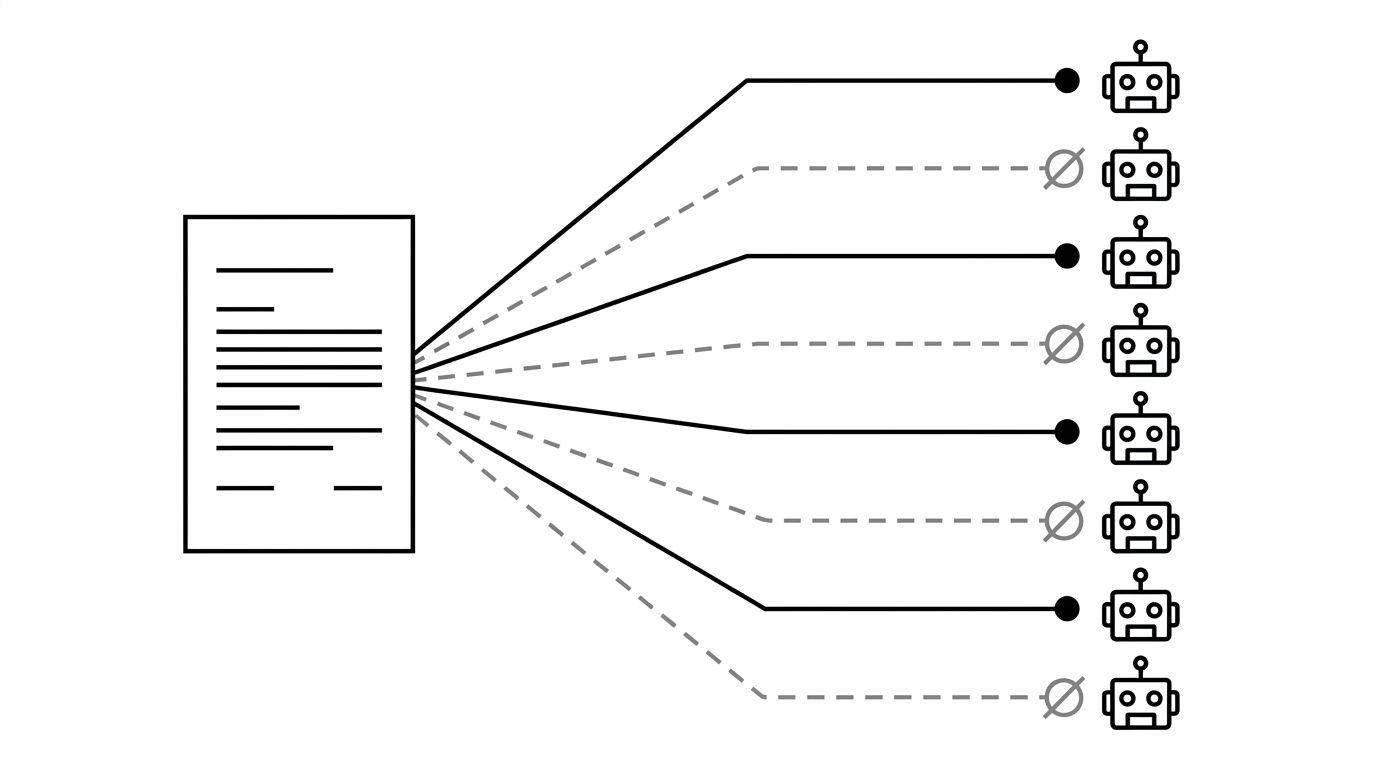
A crawler reads exactly one group in your robots.txt: the most specific group that names it. Every other line in the file is invisible to that crawler, including the User-agent: * rules you assumed applied to everyone. So "is my site blocked?" has no single answer. It has one answer per crawler, and on plenty of sites those answers contradict each other. The Wall Street Journal's robots.txt allows GPTBot on every article and blocks ClaudeBot on the same URLs, out of the same file, and both outcomes are the file working as written. Our new robots.txt tester exists to show you your own version of that answer, one crawler at a time, with the line number of the rule that decided it.
The one-group rule that surprises people
A robots.txt file is a series of groups. Each group is one or more User-agent lines followed by the Allow and Disallow rules that apply to them. When a crawler arrives, it looks for a group naming its own product token. If it finds one, that group is the entire file as far as it is concerned. The catch-all group is not merged in and not consulted as a fallback. It is skipped.
This has a consequence that catches out careful people. Add a group for an AI crawler, give it a single restriction, and you have not added a restriction. You have removed every other rule you had for that crawler.
Take a file with two groups. The catch-all group carries the restrictions:
- User-agent: *
- Disallow: /internal/
- Disallow: /checkout/
And a second group names one crawler and gives it a single rule:
- User-agent: GPTBot
- Disallow: /pricing/
Read that file quickly and GPTBot looks locked down. Read it the way a crawler does and GPTBot is now free to fetch /internal/ and /checkout/, because those lines live in a group it never opens. The rules are correct, the intent was correct, and the outcome is the opposite of what the author wanted.
The same file, two opposite answers
The Wall Street Journal is a public example you can check yourself. Its file opens with a blanket block, then defines a second group naming sixty crawlers that are allowed through. GPTBot appears in that list. ClaudeBot, PerplexityBot and CCBot do not.
| Crawler | Verdict on an article URL | Rule that decided it |
|---|---|---|
| Googlebot | Allowed | Allow: / on line 89 |
| GPTBot | Allowed | Allow: / on line 89 |
| ClaudeBot | Blocked | Disallow: / on line 14 |
| PerplexityBot | Blocked | Disallow: / on line 14 |
| CCBot | Blocked | Disallow: / on line 14 |
| Google-Extended | Blocked | Disallow: / on line 14 |
Nothing there is a mistake. Dow Jones licensed content to OpenAI and wrote that deal into the file, and the crawlers without a deal fall through to line 14. But notice what a single site-wide check would tell you: one verdict, on one crawler, presented as the answer for your whole site. It would be right about GPTBot and wrong about the six other AI crawlers.
Longest match wins
The second rule people get wrong is precedence. The longest matching rule wins, wherever it sits in the file.
Within the group that applies, every matching Allow and Disallow is compared, and the one with the longest path pattern wins. When two rules match with equal length, Allow beats Disallow. Wildcards (*) match any sequence of characters and $ anchors the end of a path. This is the matching behaviour standardised as RFC 9309 and implemented by Google.
Three lines are enough to show it:
- User-agent: *
- Disallow: /
- Allow: /blog/
That file allows /blog/anything. Allow: /blog/ is six characters against one, so it wins, even though the block came first. Plenty of robots.txt checkers do prefix matching in file order and report /blog/ as blocked. Add one more line and the answer flips again:
- Disallow: / blocks everything by default
- Allow: /blog/ re-opens the blog
- Disallow: /blog/drafts/ closes the drafts again, because it is longer than the allow
Three rules, two reversals, and a file that reads like a contradiction until you count characters. This is the part worth testing rather than reasoning about, especially on a site where the rules accumulated over several years and several owners.
What 42 real robots.txt files say about AI crawlers
We fetched the robots.txt of 42 well-known domains on 3 September 2026: 34 B2B software and fintech sites, 8 news publishers. 41 returned a parseable file. Chime returned a 403 HTML challenge page for its own robots.txt, which means no crawler can read its policy at all, whatever that policy says.
The split between the two groups is stark. Three of the 33 software and fintech files name any AI crawler at all (Figma, Monday.com and Squarespace). Among publishers it is eight out of eight. Newsrooms have spent two years writing AI policy into robots.txt. B2B marketing sites, for the most part, have not touched the file since it was written for Googlebot.
Here is how many of the 41 files block each crawler across the whole site:
| Crawler | Blocked site-wide | Has its own group |
|---|---|---|
| ClaudeBot | 9 of 41 | 9 |
| CCBot | 9 of 41 | 8 |
| Applebot-Extended | 8 of 41 | 8 |
| Bytespider | 8 of 41 | 7 |
| GPTBot | 7 of 41 | 8 |
| Google-Extended | 7 of 41 | 7 |
| PerplexityBot | 7 of 41 | 7 |
| Googlebot | 0 of 41 | 4 |
Not one site in the sample blocks Googlebot. Every site with an opinion about AI has expressed it in the last two years, and almost all of those sites are publishers protecting licensed content. If you sell software rather than journalism, your file probably has no AI crawlers in it, which means your AI policy is whatever you wrote for search engines years ago, applied by default to eight crawlers that did not exist then.
Five files carried a Content-Signal line, Cloudflare's newer syntax for declaring search, AI input and AI training preferences separately. Standard robots.txt parsers ignore it, so it sits alongside your rules rather than changing them.
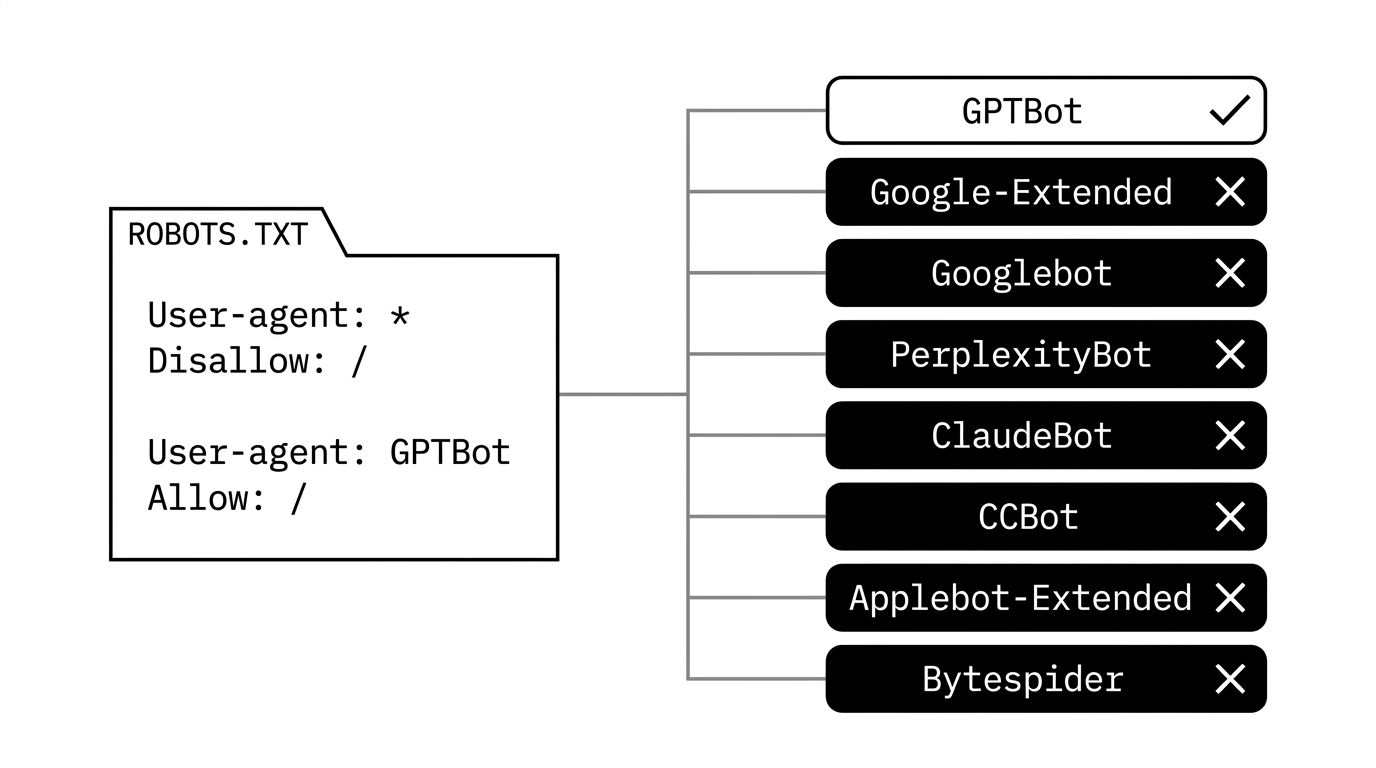
The diagram below shows why a single site-wide verdict hides all of this: one file, one path, and a different answer depending on which crawler asks.
The eight crawlers the tester checks
The tool tests any user agent you type, and it ships with the eight that matter most for AI visibility. Five are selected by default.
| Crawler | Platform | What blocking it does |
|---|---|---|
| GPTBot | ChatGPT | Keeps your pages out of OpenAI's crawl |
| Google-Extended | Gemini and AI Overviews | Stops Google using your content for AI answers, with no effect on Search rankings |
| Googlebot | Google Search | Removes you from Search and AI Overviews together |
| PerplexityBot | Perplexity | Keeps your pages out of Perplexity's index |
| ClaudeBot | Claude | Keeps your pages out of Anthropic's crawl |
| CCBot | Common Crawl | Keeps you out of the open corpus many models train on |
| Applebot-Extended | Apple Intelligence | Blocks Apple's generative use while leaving Siri and Spotlight indexing alone |
| Bytespider | ByteDance | Blocks ByteDance's crawler |
Googlebot sits in an AI crawler list for a reason. AI Overviews are built on the Google index, so a Googlebot block takes out your organic rankings and your AI Overview presence in one move, and it is the only entry here that costs you traffic today rather than mentions tomorrow.
The pairing worth understanding is Googlebot and Google-Extended. They look related and they do different jobs. Googlebot controls crawling for Search. Google-Extended controls whether what Googlebot already fetched can be used to ground Gemini and AI Overview answers. Blocking Google-Extended is the granular choice. Blocking Googlebot is the blunt one, and people reach for it by mistake.
What the validator catches that a browser tab does not
Opening /robots.txt in a browser tells you the file exists. It does not tell you whether crawlers can act on it. The validator checks the file line by line and flags:
- Rules before any User-agent line. An Allow or Disallow that appears before the first user agent belongs to no group and is discarded.
- Paths without a leading slash. Disallow: admin does not block /admin. It matches nothing.
- The file served as HTML. A site that returns its 404 page, or a bot challenge, with a 200 or 403 status has no working robots.txt. Chime in our sample is a live example.
- Relative or malformed Sitemap lines. Sitemap declarations have to be absolute URLs. A relative path is skipped, and with it the fastest route AI crawlers have to your content.
- Misspelled directives. Dissalow and User agent parse as unknown fields and are ignored silently.
Scope is the other quiet failure. A robots.txt only governs the host and protocol it sits on. The file on your apex domain does not cover blog.example.com or docs.example.com, and those subdomains are often where the content you most want cited actually lives.
How to run the check
- Enter your domain. The tester fetches the live file and parses it into groups with line numbers.
- Pick your crawlers. The five AI defaults are selected, and you can add Googlebot, CCBot, Applebot-Extended, Bytespider or any agent you type.
- Paste the paths you care about, up to 20 at a time. Full URLs are fine, the tool keeps the path.
- Read the verdict per crawler and path, with the matched rule and its line number, so you can see why a URL is blocked and not just that it is.
- Take the generated file. If the tester finds problems, or finds nothing at all, it produces a corrected robots.txt you can publish.
Test the pages you want cited, not just the homepage. Product pages, pricing, documentation, comparison pages and the blog posts that answer buying questions are what models retrieve when someone asks about your category.
What to do next
Run your domain through the robots.txt tester and check the two answers most likely to surprise you: whether Google-Extended is blocked anywhere it should not be, and whether an AI crawler has its own group that quietly drops your catch-all rules.
If the verdicts are not what you wanted, the policy question comes next, and we covered which crawlers to allow and which to block in robots.txt for AI. For how these crawlers behave once they are through the gate, read how AI models crawl and ingest web content. When you want the crawl fixed alongside the rest of the technical work, that is technical GEO and SEO.